

Step 1: Sign up
Create an account at foggyhq.com. You’ll be in the web interface immediately — no infrastructure to set up, nothing to install.Step 2: Connect your first data source
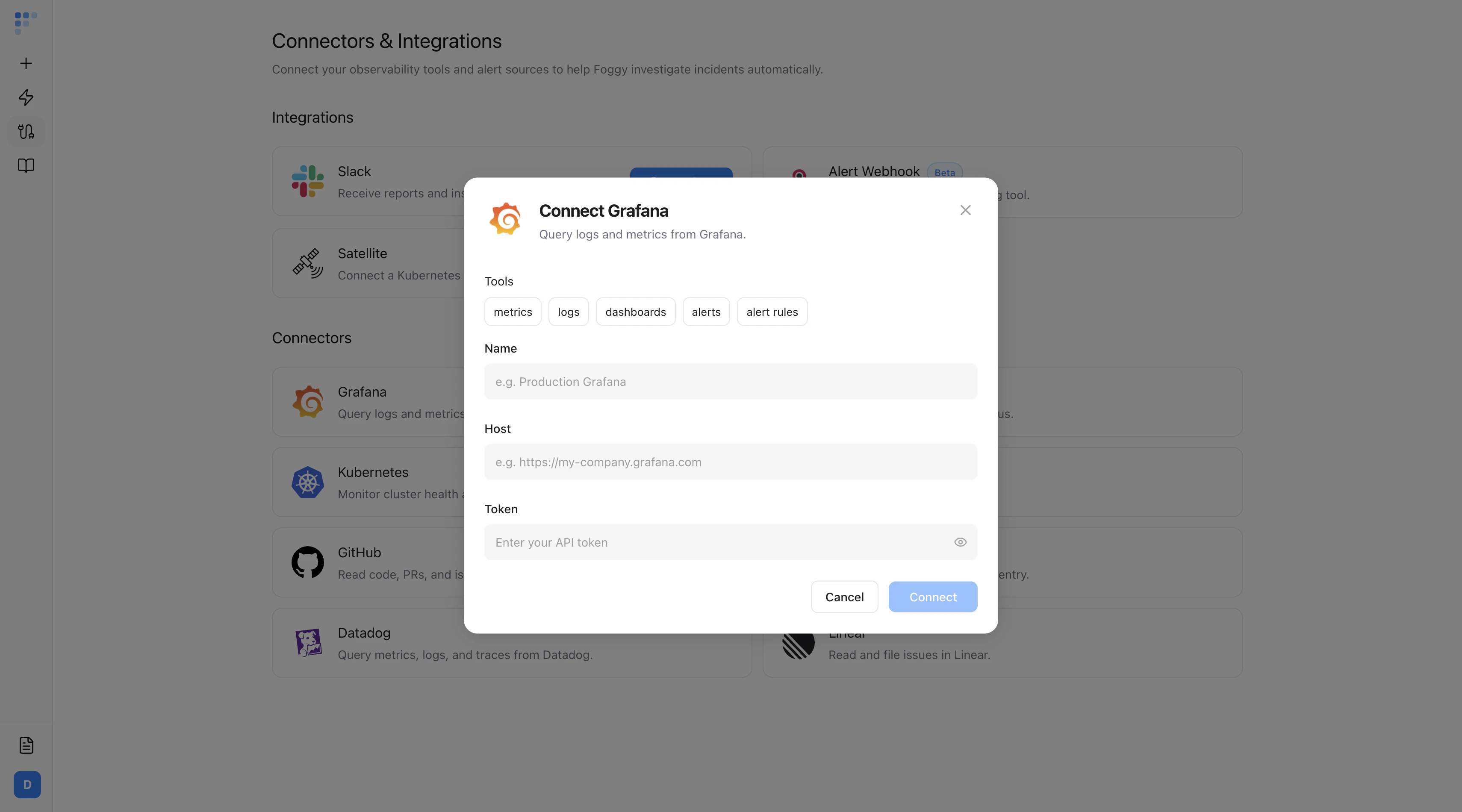
Navigate to Connectors in the sidebar and click Add Connector. Start with Grafana — it’s the fastest to set up:- Select Grafana
- Enter a name (e.g. “Production Grafana”)
- Enter your Grafana Host URL (e.g.
https://my-company.grafana.com) - Optionally add an API token for authenticated access
- Click Save
Step 3: Run your first investigation
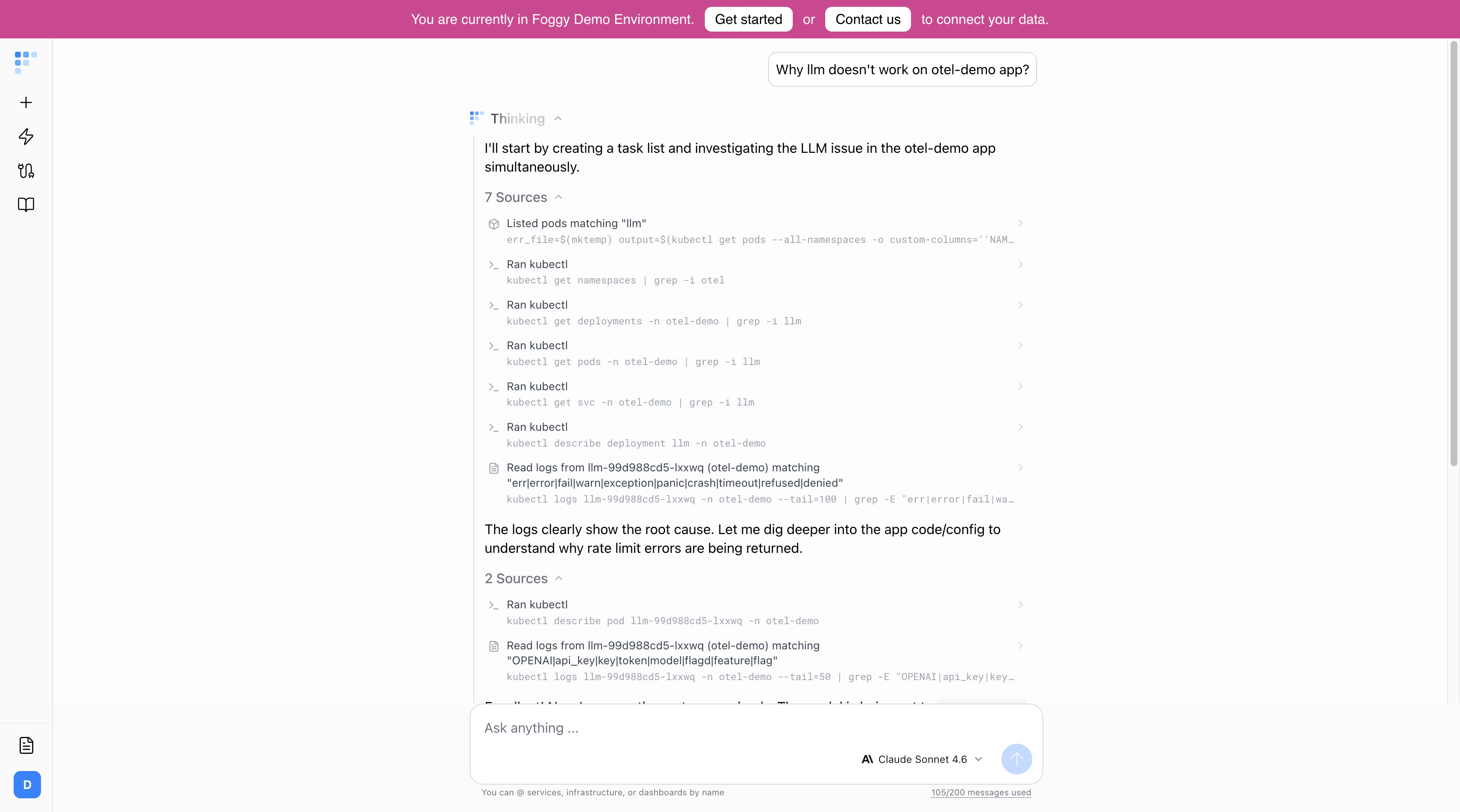
Go to the chat and ask a question. The best prompts include:- Service or component name — “checkout service”, “API gateway”, “kube-system namespace”
- Time window — “last 2 hours”, “since yesterday 3pm”, “this week”
- Symptom or metric — “5xx errors”, “high latency”, “OOMKills”, “pod restarts”
Step 4: Explore the results
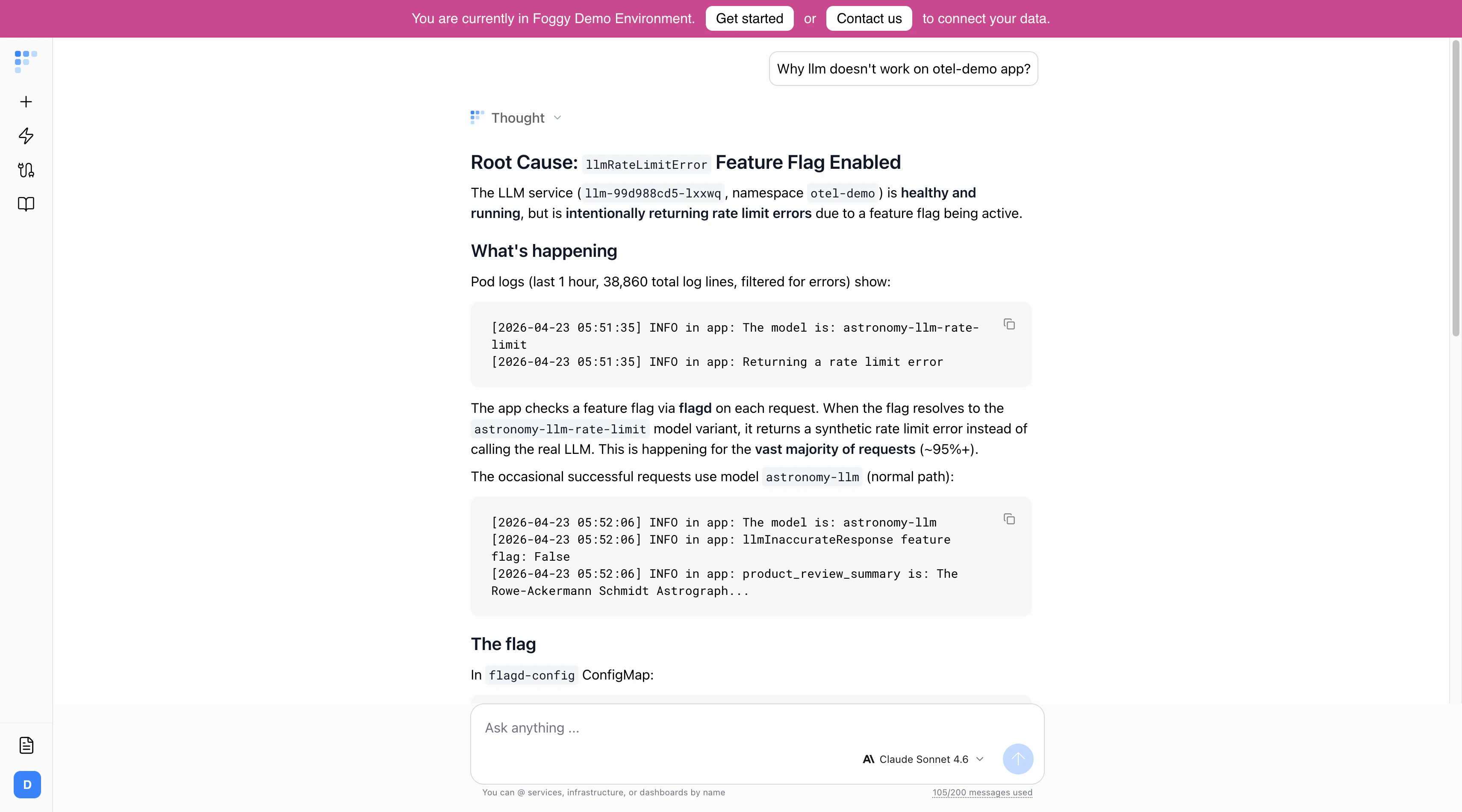
- Chain-of-thought — Expand to see every tool call, query, and reasoning step Foggy took.
- Sources — See which Grafana dashboards, Prometheus queries, or log searches were used as evidence.
- Follow-up suggestions — Click to dig deeper into any finding, or ask your own follow-up question. Foggy remembers context within the thread, so follow-ups get progressively more targeted.
Step 5: Go further
Add more connectors
Connect Kubernetes, Slack, and alert sources for cross-stack investigations.
Set up automations
Schedule recurring investigations — daily health checks, weekend summaries, or alert-triggered root cause analysis.
Add Knowledge Base entries
Teach Foggy about your architecture, runbooks, and team ownership so it investigates with full context.
Connect Slack
@mention Foggy in any channel to investigate. Results are delivered as threaded replies.