> ## Documentation Index
> Fetch the complete documentation index at: https://docs.foggyhq.com/llms.txt
> Use this file to discover all available pages before exploring further.
# Knowledge Base
> Teach Foggy about your infrastructure with architecture docs and runbooks.
Teach Foggy about your specific infrastructure and processes. All enabled entries are automatically included as context in every investigation — so Foggy uses your team's knowledge, not just generic infrastructure patterns.
## How it works
1. **Write entries** in Markdown — architecture docs, runbooks, troubleshooting procedures
2. **Enable or disable** individual entries with a toggle
3. **Foggy uses them automatically** — enabled entries are sent to the agent as context before every investigation
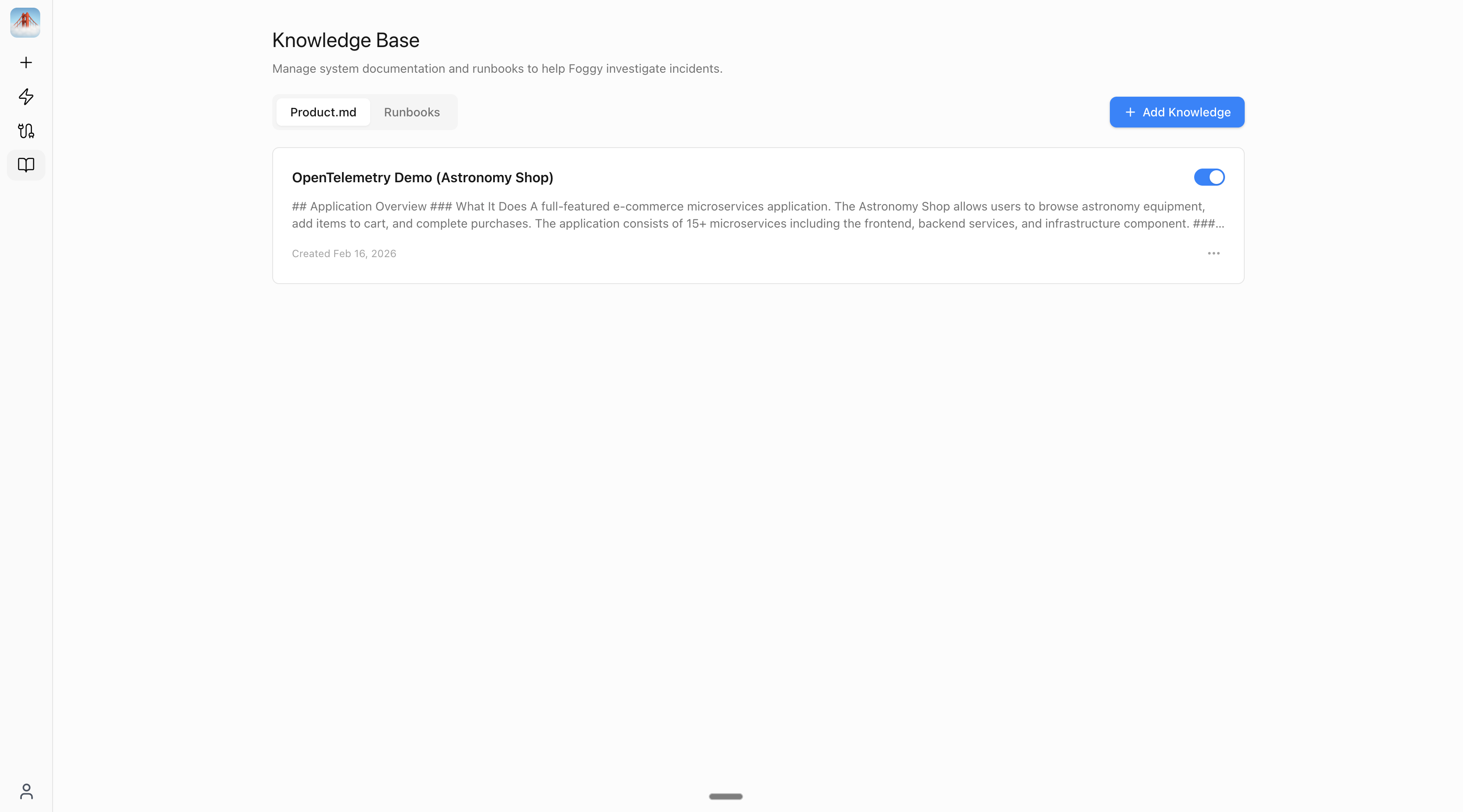 ## Two categories
| | Product Docs | Runbooks |
| ----------- | -------------------------------------------------------------------- | ------------------------------------------------------------------------------------- |
| **Purpose** | Helps Foggy understand **what** your system is | Helps Foggy understand **how** to investigate failures |
| **Content** | Services, architecture, deployment topology, team ownership | Troubleshooting procedures with a "use when" trigger |
| **Example** | "Checkout Service runs Go, uses PostgreSQL, owned by #platform-team" | "When DNS fails → check CoreDNS pods, verify service DNS, escalate to #platform-team" |
## Example entries
**Product Doc: "Checkout Service"**
```markdown theme={null}
## Checkout Service
- Language: Go
- Database: PostgreSQL (primary + read replica)
- Dependencies: payment-service, inventory-service, user-service
- Deployment: 3 replicas in production, 1 in staging
- Owner: Platform Team (#platform-team in Slack)
```
**Runbook: "DNS Troubleshooting"**
* **Use when:** DNS resolution fails or services can't reach each other
```markdown theme={null}
## Steps
1. Check CoreDNS pods: kubectl get pods -n kube-system -l k8s-app=kube-dns
2. Check CoreDNS logs for errors
3. Verify service DNS: nslookup ..svc.cluster.local
4. Check if the issue is namespace-specific or cluster-wide
5. Escalate to: #platform-team
```
Foggy can also propose entries automatically during investigations — see [Memory](/features/memory).
## Writing effective entries
* **One topic per entry** — a focused "Payment Service Architecture" is more useful than a massive "Everything About Our System" doc
* **Include escalation paths** — add team names and Slack channels so Foggy can suggest who to contact
* **Disable rather than delete** — if an entry becomes outdated, toggle it off. Re-enable it when it's relevant again.
## Next steps
Set up scheduled and alert-triggered investigations that run automatically.
Investigate incidents and get automation results directly in Slack.
Add Grafana, Kubernetes, and more to power investigations.
## Two categories
| | Product Docs | Runbooks |
| ----------- | -------------------------------------------------------------------- | ------------------------------------------------------------------------------------- |
| **Purpose** | Helps Foggy understand **what** your system is | Helps Foggy understand **how** to investigate failures |
| **Content** | Services, architecture, deployment topology, team ownership | Troubleshooting procedures with a "use when" trigger |
| **Example** | "Checkout Service runs Go, uses PostgreSQL, owned by #platform-team" | "When DNS fails → check CoreDNS pods, verify service DNS, escalate to #platform-team" |
## Example entries
**Product Doc: "Checkout Service"**
```markdown theme={null}
## Checkout Service
- Language: Go
- Database: PostgreSQL (primary + read replica)
- Dependencies: payment-service, inventory-service, user-service
- Deployment: 3 replicas in production, 1 in staging
- Owner: Platform Team (#platform-team in Slack)
```
**Runbook: "DNS Troubleshooting"**
* **Use when:** DNS resolution fails or services can't reach each other
```markdown theme={null}
## Steps
1. Check CoreDNS pods: kubectl get pods -n kube-system -l k8s-app=kube-dns
2. Check CoreDNS logs for errors
3. Verify service DNS: nslookup ..svc.cluster.local
4. Check if the issue is namespace-specific or cluster-wide
5. Escalate to: #platform-team
```
Foggy can also propose entries automatically during investigations — see [Memory](/features/memory).
## Writing effective entries
* **One topic per entry** — a focused "Payment Service Architecture" is more useful than a massive "Everything About Our System" doc
* **Include escalation paths** — add team names and Slack channels so Foggy can suggest who to contact
* **Disable rather than delete** — if an entry becomes outdated, toggle it off. Re-enable it when it's relevant again.
## Next steps
Set up scheduled and alert-triggered investigations that run automatically.
Investigate incidents and get automation results directly in Slack.
Add Grafana, Kubernetes, and more to power investigations.